
|
This website may contain affiliate links. Meaning if you click on a link and make a purchase I may receive a commission. You can read the full disclosure below. If the product is an Amazon product here is the link to the Amazon Affiliate disclosure. ******************************************************* |
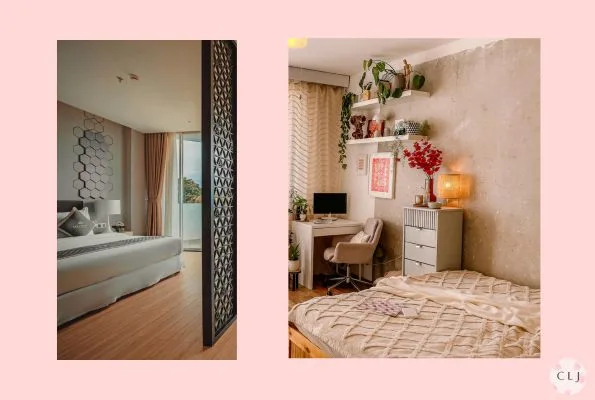
Do you work from home and have your bedroom in your home office? That is quite common, especially since many of us don’t have dedicated office rooms in our home. However, if you have to take virtual meetings, such as Zoom or Teams calls, beds often look messy and unprofessional, and we want our home office to actually look like an office if possible. Here we show you 5 ways to hide your bed on a Zoom call.
Use a virtual background

If you are using a professional meeting software such as Zoom or Teams they have a way to upload a virtual background which will show instead of your actual background. At least a day ahead of your call, test the virtual background with the lighting in your room. Consider getting a green screen that you can put behind you to hide the bed and make your image more clear.

This pop-up green screen is perfect because it collapses so you can move it out of the way when you don’t have calls.
Use the ‘blur’ background

One of the choices, when using a virtual background, is the option to blur the background. This is a quick solution and then you don’t have to fuss about what is behind you in the camera. Do this and you should instantly be able to hide the bed. However, sometimes, the blur isn’t great and people can still see a bit of what’s in your actual background. So make sure to test this before your call. Try different types of lighting. Try straightening up your bed so that if a little image leaks through it at least looks neat.
Put a partition between you and the bed

If this is your permanent office set-up from home, then consider getting a room divider or partition. Maybe you can find something that you have at home, like a gigantic whiteboard, your children’s chalkboard, or a posterboard or artwork that sits on a stand on a table

This room divider is perfect for hiding the bed on your Zoom calls. It also is a nice partition for keeping your bedroom away from your home office.
Move your desk so you are facing the bed
If you put a computer on the desk below, the camera will show the wall or whatever is behind you. So consider repositioning your desk so the bed isn’t showing in the camera. You can do this by simply facing the bed. Just make sure that the new image is neat and professional.

Take away the pillows and pull up the comforter
If you must show the bed, then try to make it not look so much like a bed. What makes a bed look like a bed are often the pillows. Remove the pillows and extend the comforter so you can’t see the sheets. Just make sure the comforter doesn’t have a obnoxious pattern or something that would be distracting, like cartoon characters. If it is, than try using a different bedcover or sheet. Make sure it is neatly laid down

Having a home office in a bedroom can easily work and be a productive place to take Zoom calls. Try a few suggestions in this guide and see what works for you. What matters most is what is comfortable and productive for you. That will make for a great virtual meeting.