I remember when I would put on a business suit and heels and head to the conference room for every meeting. Today, the majority of time, I open up my laptop, turn on my camera and microphone, and ‘Zoom’ in for a work teleconference. Online meetings (Teams, Zoom, Google Meet, Go To Meeting, etc) have certainly taken over as the norm.
Online meetings are opportunities to showcase our professionalism, respect, competence, and kindness. Even though we are at the computer, we need to pay close attention and not get careless in our habits, set-up, and demeanor. Use these tips below and thrive in your calls.
Give people plenty of notice before the meeting
Try to schedule your meeting in advance. I recommend at least 1-2 weeks or more if possible, unless there is an urgent situation where you have to schedule at the last minute. If you have managers or executives, often their calendars are full of meetings so you definitely need to get on their schedule in advance.
For small meetings consider sending an email ahead of the calendar invitation
If this is a new meeting, a small group or a one-on-one, it may be polite to send a short message, saying what you would like to meet for and why you are requesting their attendance. You may even ask if there are better dates and times for them. Then send the invite after your receive their response. People will appreciate the ‘heads up’.
Check your internet connection, meeting software before the call
Checking your technology ahead of time, such as the wi-fi connection and meeting software ahead of time will make sure you aren’t delaying the meeting. If it is a new platform you haven’t used before, make sure the link works and you can execute the program, apply a background if needed, check your camera, and your audio. That way if there is a problem, you have time to contact the organizer if needed.
Check your virtual background and lighting before the call
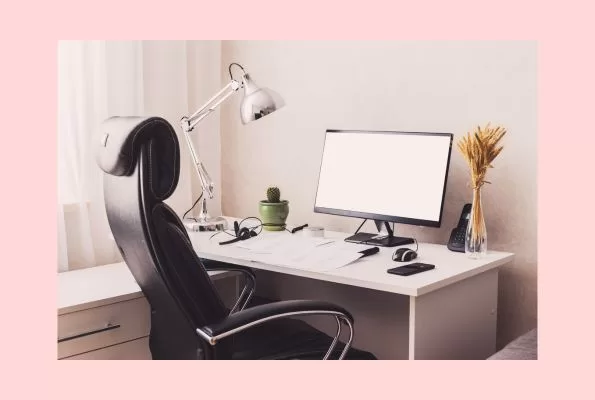
Make sure you have a presentable background that looks nice. Check your lighting before the call to make sure your background doesn’t appear ‘wavy’ due to inadequate light. If you are using the real background, make sure it is neat and doesn’t have distracting objects.
Be on time…or even a minute or two early
Be on time for your online meetings. Don’t make others wait. It is really distracting when people enter the call late. In the event you do have to be late, make sure you send a message in the ‘chat’ that says when you will be arriving. Be a minute or two early. It is a great habit and demonstrates professionalism.
Dress professionally for your call…even if you are casual
Don’t show up like a slob for your call. Don’t roll out of bed in your pajamas, with your hair ungroomed. Make some effort. Even if you are on the casual side, make sure you comb or brush your hair and have a neat and clean appearance. Wear something professional, or nice, but not too distracting. Consider downloading our work from home style guide for suggestions, below.
Do prepare for your meeting
If you are the organizer, send out a small agenda with topics and if possible, approximate discussion times. If you are an attendee, look over the agenda ahead of time, and jot down notes, or prepare discussion points, worksheets, a presentation or whatever it is that the meeting host is asking from you.
Sometimes, a meeting is your one opportunity to get a point across, or get ‘buy-in’ from others. Don’t waste your opportunity. Preparing is a great way to convey competence and professionalism.
Don’t do other things while in the meeting
One of my pet peeves, is others emailing or working on something else while in the meeting. People can tell by your body language, even in a Zoom meeting, if you are doing something else such as typing an email or checking your phone. Give others your full attention, listen and be present. It is the greatest sign of respect you can provide attendees.
If you are the organizer, start the meeting on time
Don’t punish attendees who are on time for your meeting to wait on others who are late. This is especially true if you are presenting such as in a webinar. Make every effort to start on time. This encourages others to be punctual in the future.
Don’t get distracted by your home life during the meeting
I am all for work-life balance. This means when you are at work, your are focused on work and at home, you are focused on home. I don’t take business calls during my personal and family time and vice-versa. This includes online meetings. Don’t get distracted by your dog barking, or your family talking to you and the phone ringing. Don’t get up to answer the doorbell, fold your laundry, eat your lunch…..etc. If you have to get up, try to mute your line or turn off your camera, momentarily.
Focus on the meeting. Be kind to your family, by letting them know ahead of time when you may be on a call. Consider taping a sign to your door that says ‘in meeting’. Try to make sure your work area is free of external noise (dog barking, others speaking, gardeners, construction, etc) as much as possible.
Prioritize your meetings, and know when it it okay to not take them
If you are a critical person in a meetings, such as a presenter, a decision maker, or have key information that is important than prioritize your attendance. If you have a one-on-one with your boss, than you must attend. However, our calendars are also full of Corporate Town Halls, Business updates, extra trainings. Know which ones are critical and which ones, you could pass on once in awhile or listen to a recording. I definitely enjoy and benefit from business updates but occassionally do have to miss a few in order to prioritize my work tasks.
For example, if you have an important task due soon, perhaps it would be okay to miss a business update, and instead watch the recording at a later time. Take a HR training at a time that works for you as opposed to LIVE, if your schedule isn’t accommodating for that session. If you have to pick up your kids as 6 pm, perhaps don’t take that 5 pm optional call. Know when it is critical to attend, and when you could pass once in awhile. That is the key to better work life balance.
Don’t turn on your camera and microphone in a large meeting
Unless you are a presenter, turn off your camera and microphone in a large meeting, such as over 50 attendees. It really helps with others to focus and it preserves the internet bandwidth of the meeting, allowing for a smoother online experience.
One word of caution, is that don’t automatically assume that the organizers have turned all attendee mics and cameras off ahead of time, and then accidentally show up in your bathrobe. I always at least throw on a T-shirt or comfy loungewear, so that in case the camera got turned on accidentally, I would still be presentable. I’ve seen a lot of attendees make this mistake, only to be really embarrassed later.
Eat something before your meeting
Make sure you are not hungry or thirsty before your meeting. There have been times when I was ‘running on empty’ causing me to be less patient and not be able to think on the meeting. I like to eat about 1 hour before my meetings to make sure I have ‘enough gas in the tank’.
Acknowledge others when you enter the meeting
If it is a small call, when you join the call, say ‘hello’ to others. If there is time make some ‘small talk’ such as asking how they are doing? Where they are calling from? or other nice conversational pieces. That really kicks the meeting off nice. I don’t like calls where there is not rapport in the beginning and people just ‘get to it’. Though occasionally that is okay, if there is not sufficient time and there is much to discuss.
Follow-up after the meeting
If you are the organizer, immediately or up to 1 business day after the meeting send out Action Items in an email to the attendees. Action items really helps to clarify what everyone needs to do after the meeting. It also helps me to keep a record of what was discussed. It also shows your organizational skills.
Most of all, show up and be present in your meetings. Listen, participate and enjoy the discussions. Hope the above tips will help you to succeed and flourish in your meetings. That is the recipe for a life filled with comfort, leisure, and joy!